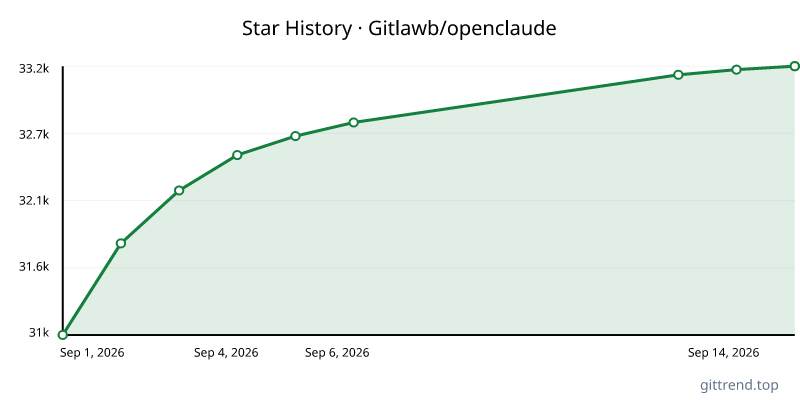
Overview
OpenClaude is a versatile, open-source command-line interface (CLI) designed to be your unified terminal for interacting with a wide array of large language models (LLMs). It breaks down barriers by allowing you to seamlessly connect to both cloud-based and local LLM providers through a single, consistent interface. With its terminal-first workflow, OpenClaude empowers developers to leverage the power of LLMs directly from their command line, integrating prompts, tools, agents, and streaming output into their existing workflows.
Key Features
- Universal Provider Support: Connect to numerous LLM providers, including OpenAI-compatible APIs (like Groq, Mistral, LM Studio, OpenRouter), Gemini, GitHub Models, Codex, Ollama, Atomic Chat, and many more, all without needing per-provider specific tooling.
- Terminal-First Workflow: Manage prompts, utilize tools (like bash, file operations, grep, glob), orchestrate agents, employ MCP commands, and leverage slash commands, all within your familiar terminal environment.
- Seamless Integration: Experience real-time streaming of responses and integrated tool-calling capabilities for complex, multi-step interactions with LLMs.
- Flexible Setup: Easily configure providers through guided setup commands (
/provider), environment variables, or saved profiles, ensuring quick access to your preferred models. - Local & Cloud Agnostic: Whether you're running models locally via Ollama or Atomic Chat, or connecting to powerful cloud APIs, OpenClaude provides a unified access point.
- Codebase Intelligence: Built-in "repo map" feature provides structural intelligence of your codebase, enhancing context for LLM interactions.
- Interactive Companion: A charming pixel-art companion enhances the user experience with animated reactions to your commands.
Typical Use Cases
- Automated Code Generation & Refactoring: Use LLMs to generate code snippets, refactor existing code, fix bugs, or write unit tests directly from your terminal.
- Data Analysis & Manipulation: Leverage LLMs for tasks like summarizing logs, extracting information from files, or performing complex text analysis through tool integration.
- Workflow Automation: Integrate LLM capabilities into shell scripts and automation pipelines for more intelligent task execution.
- Rapid Prototyping: Quickly test and experiment with different LLMs and their capabilities without extensive setup for each.
- On-Demand Assistance: Get instant help with documentation, command-line usage, or complex problems by prompting LLMs directly within your development environment.
- Local Model Experimentation: Easily run and interact with local LLMs for privacy-sensitive tasks or to reduce cloud costs.